
INSIDE
SQUARESPACE 7.1 TEMPLATE - AUD 190
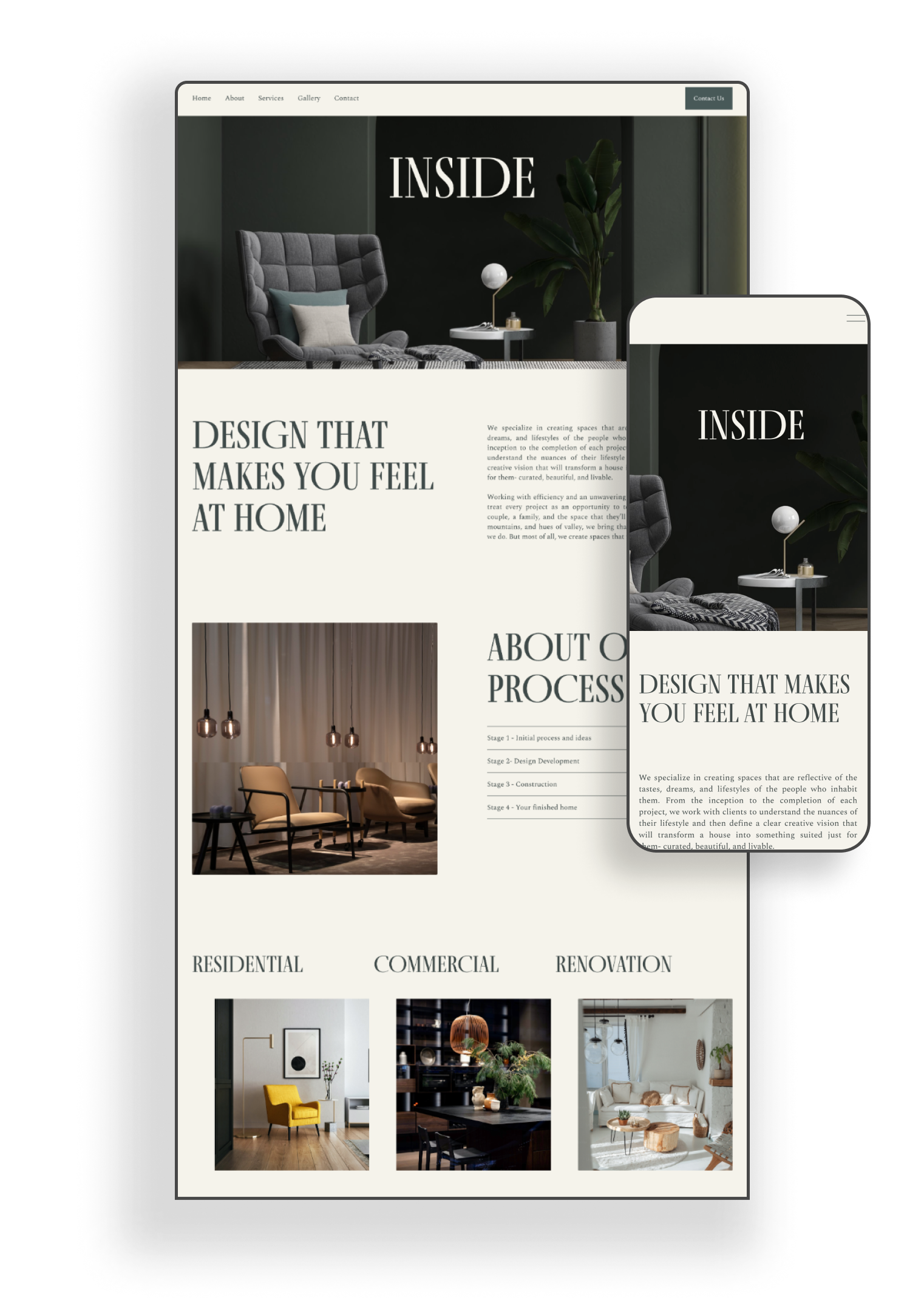
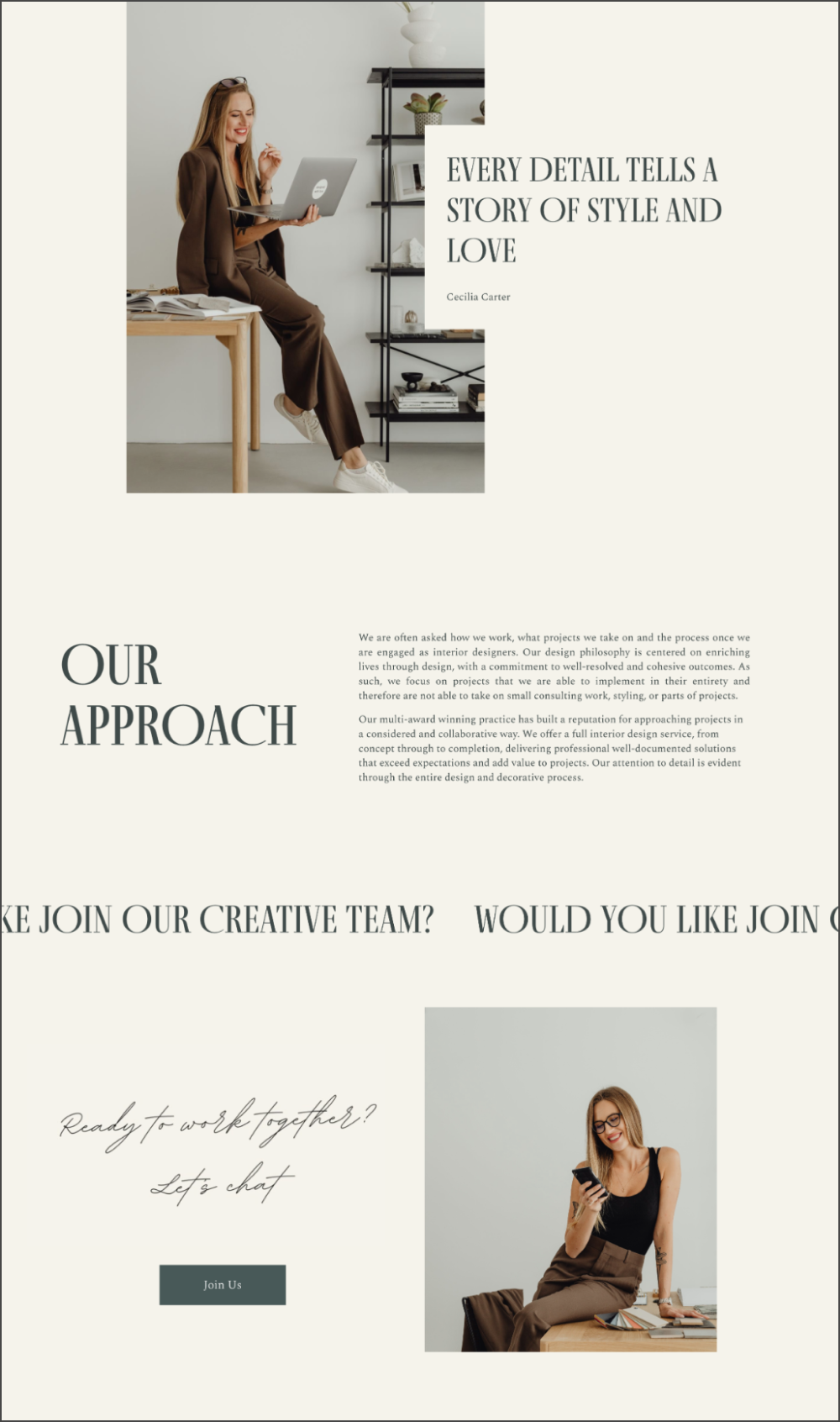
This elegant and versatile website template is designed for businesses and creatives who want a polished online presence. This template is perfect for creating a memorable website. The Inside Template includes 6 thoughtfully crafted pages, a customizable 404 error page, and templates for the Terms and Conditions and Privacy Policy, making it a comprehensive solution for your online needs.
WHAT YOU GET
-
Within 24 hours of your purchase, you’ll receive an email from us with a link to accept your new template in your Squarespace account.
The template will be delivered as a new trial site and will appear just like the demo preview.Included:
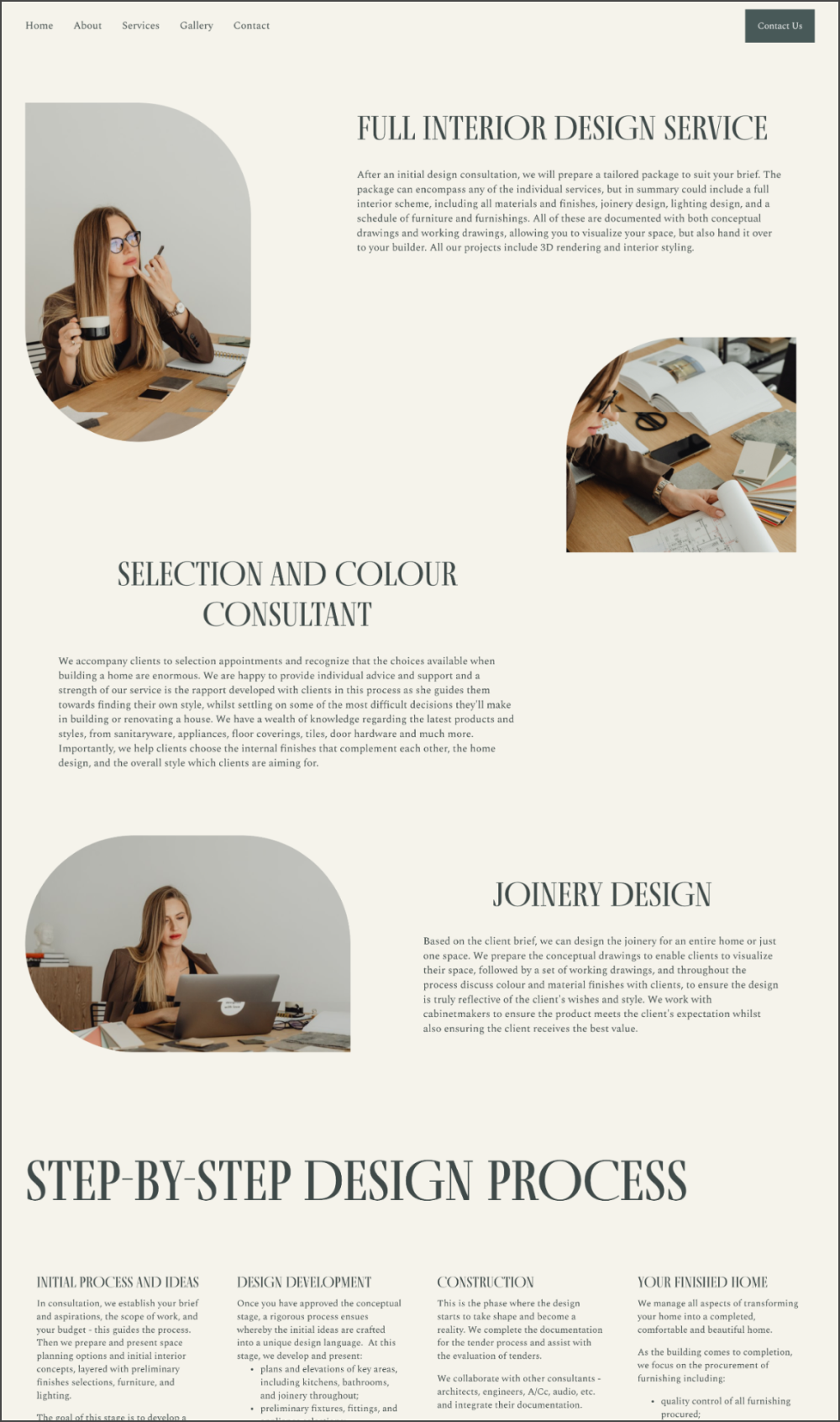
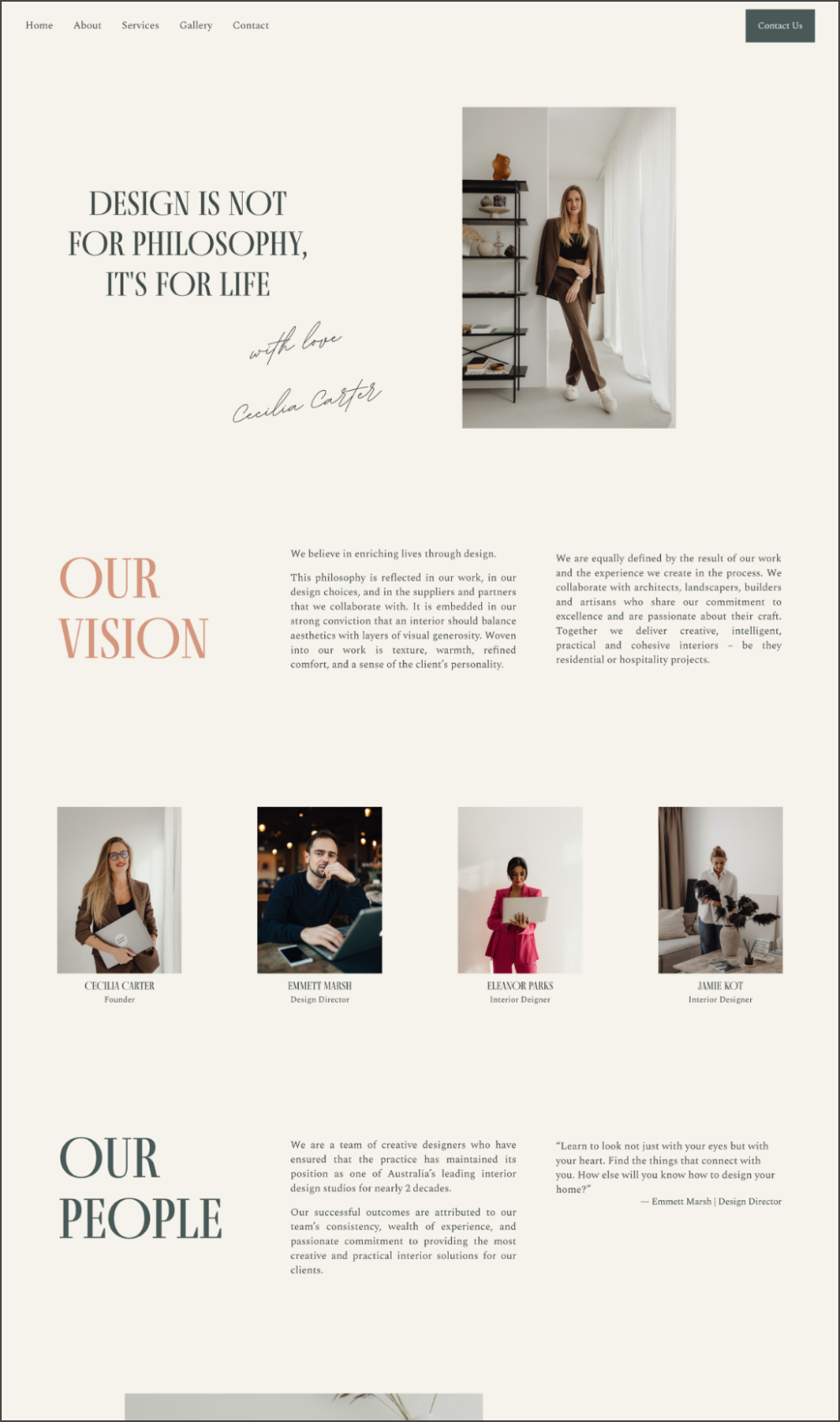
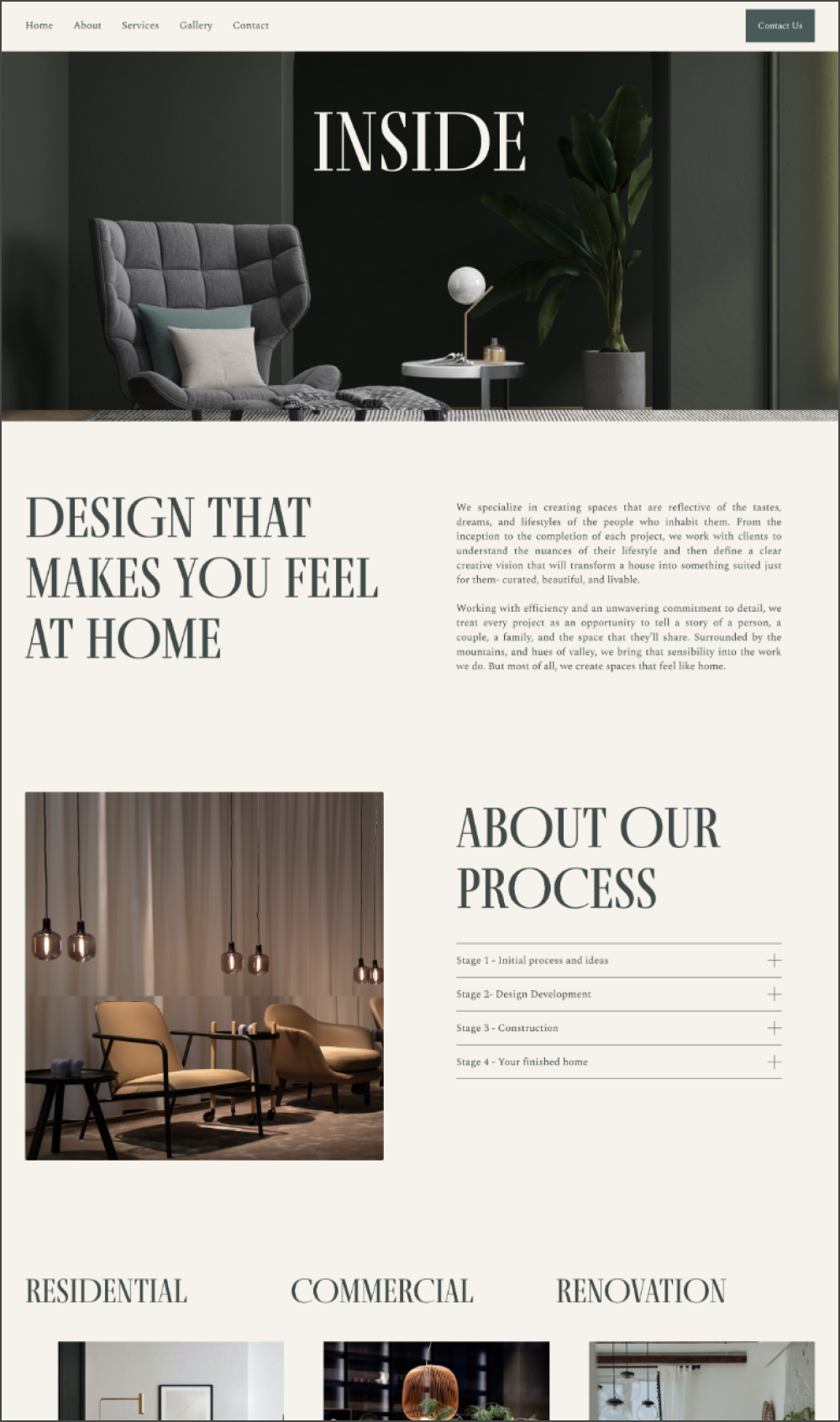
6-page Squarespace 7.1 website: Home, About, Service, Gallery, and Contact.
Additional blank pages: Terms & Conditions, Privacy Policy, and Custom 404 Page.
You can easily add or remove pages to suit your needs.
-
Webrunway templates will come with a 3-month free trial of Squarespace, compared to the standard 2-week free trial.
-
We’ll walk you through everything you will need to know to build and customize your site with Squarespace. You will get instant 6-month online access to the tutorial library with well-structured 10 lessons + bonus resources. You’ll be able to make changes to your website easily with helpful video tutorials and step-by-step instructions.
-
Optimize your website for search engines with our step-by-step SEO checklist to improve organic online visibility. Also, before you launch your site, we’ll walk you through all of the final steps for your successful launching.
-
We offer 3 months of email support from the date of purchase. Reach out anytime for template support—we’ll get back to you within one business day.
WHAT YOU NEED
-
Before launching your website, you will need a subscription to Squarespace 7.1. No need to sign up just yet — we’ll guide you through the process after your purchase.
There are some blocks that are business plan only eg: Shop, Newsletter Block, Announcement Bar. If you want to use those elements, you will need to use the Business Plan. Otherwise, the rest of the template will work fine on the Personal Plan.
-
The domain is the name of your website (eg “yourbrandname.com”).
You can purchase this anytime and you will only need to connect it when your website is ready to go live. This process isn’t complicated and is described in our tutorial.
OTHER DETAILS
-
You can change all colors, fonts, graphics, images, and text, add pages, and adjust the layout to suit your brand.
You can easily add any extra pages, or edit the existing pages to suit your needs.
This elegant and versatile website template is designed for businesses and creatives who want a polished online presence. This template is perfect for creating a memorable website. The Inside Template includes 6 thoughtfully crafted pages, a customizable 404 error page, and templates for the Terms and Conditions and Privacy Policy, making it a comprehensive solution for your online needs.
HOW IT WORKS
PREPARE
1. Your template will be digitally delivered within 24 hours of purchase. In the meantime, you’ll have instant access to the tutorials on the Webrunway online platform, which include all of the tools and resources you need to start preparing to customize a stylish and strategic website.
STYLE
2. After your template is delivered, you’ll be able to make it yours. You'll learn how to personalize colors, fonts, and other elements, without any need for coding or design skills. Work through well-structured 10 lessons, video tutorials, and step-by-step instructions.
LAUNCH
3. The Final Launch Checklist ensures everything is set for your website to go live! Finish your SEO, subscribe to Squarespace, and launch with confidence. It’s time to introduce your brand to the world!
FAQs
Have questions? Get in touch
-
Squarespace offers a range of free, built-in templates that anyone can use to launch their website. These templates are a great option for those on a tight budget who need a simple online presence. However, because they are widely used, it can be challenging to make your website stand out or reflect your brand’s unique personality.
In contrast, Webrunway Squarespace templates are thoughtfully crafted by a professional web designer, featuring distinctive styles tailored to suit businesses in specific industries. They offer a polished, strategic aesthetic that gives your website a custom feel—at a fraction of the cost of a fully custom design.
Additionally, our templates include free support and valuable resources such as tutorials and video guides, making them especially helpful for small business owners creating their websites for the first time.
-
Our templates are exclusively designed for Squarespace 7.1 and are not compatible with Squarespace 7.0, Wix, or WordPress.
Squarespace 7.1 is the latest version of the platform, featuring the advanced Fluid Engine editor.
Each of our Squarespace 7.1 templates is built using Fluid Engine, allowing you to freely move images, text, and other blocks within an adjustable grid. This provides greater flexibility and customization options compared to previous versions.
-
Once your purchase is complete, you'll gain instant access to the Webrunway tutorial platform, which includes detailed lessons and videos to guide you through customizing your template and mastering Squarespace.
Meanwhile, we'll get your Squarespace template ready. Within 24 hours, you'll receive an email with a unique invitation link to access your new template.
After you accept, the template will be automatically applied to a new website, complete with a 3-month free trial.
-
To begin, you'll receive a 3-month free trial, so you can take your time making edits and perfecting your page. When you're ready to launch, you'll need to upgrade to a paid Squarespace plan, which you can view and choose from here.
-
You can easily change all colors, fonts, graphics, images, text, add pages and adjust the layout to suit your brand.
-
You don’t need to be a Squarespace expert or even have used it before to work with our templates. The beauty of Squarespace is its DIY-friendly design. When you purchase a template, you’ll get instant access to our well-organized tutorials, which guide you through everything you need to know about using Squarespace, ensuring you feel confident customizing your template.
-
Our Squarespace website templates are thoughtfully designed to adhere to SEO best practices in terms of layout and structure.
Since the templates function just like any other Squarespace site, you can optimize them for SEO as much or as little as you like. This primarily depends on the content you add, such as using properly compressed and named images or incorporating relevant keywords in text and URLs across your site.
To assist you in optimizing your website template for SEO, we've created a comprehensive SEO checklist within the template resources, outlining all the steps you can take to maximize your website's potential for ranking.
-
With Squarespace, you can manage multiple websites under one account. So, if you already have a site, the new template will be added as a separate website, leaving both sites available in your dashboard.
You’ll need to manually transfer any existing content you want to move into the new template.
-
Yes, you can continue editing your Squarespace website even after it's been published. For minor updates, you can make changes and go live immediately. Alternatively, you can work on the site without going live by duplicating the page or creating a new one until the full redesign is complete.
-
Absolutely! Squarespace is amazing for bloggers and has an intuitive, easy-to-use, and customizable blogging system that can be added to any Squarespace website.
Most of our Squarespace templates come with a pre-built blog, though make sure to double-check by viewing the template's live demo.
You can add images, videos, audio, and links to your blog posts, experiment with different layouts, and schedule posts to publish at a later date and time. Squarespace also has built-in analytics so you can see how many people are reading your blog.
-
Yes! Squarespace has a simple, built-in e-commerce store function that can be added to any Squarespace website, meaning that you can add a shop to any of our website templates!
You can choose to sell different types of products on your site, including physical products, digital products, services, or subscriptions. You will need to purchase a Business Squarespace subscription or above to add a shop to your website.
Before you decide to go with Squarespace for your online shop, make sure you understand all of the features that are included, and if those are going to work for you and your e-commerce store.
-
You won't need to use any code or custom CSS to build your website. All of our Squarespace templates are designed to be DIY-friendly, utilizing built-in Squarespace features so there's no coding required.
We do include a few small snippets in each template to give them a unique touch. You'll find easy-to-follow instructions for customizing them. If you're not comfortable editing the code, you can simply leave it as is or remove it entirely, as the changes are minimal.
-
As our products are digital, our website templates are non-refundable. Please be sure to review all product details before making a purchase, and feel free to contact our team if you have any questions or concerns.
You can view our return policy here.
-
One purchase equals one website. If you plan to use the template for multiple projects, please purchase a copy of the template for each use.
Images sourced from Kaboompics and Unsplash.
Fonts are included within the Squarespace font library.